

Multitasking is a common thing for today’s workers, and so is having multiple tabs open in your web browser. You might even have multiple different apps running simultaneously, which can make you feel like you have to constantly close one window to open another. Well, no more. You can use Smart Windows (also known as Snap Windows) to place two or more side-by-side and enhance your productivity.
Datalyst Blog
Today is the first day of the post-Windows 10 era, and if you are still running a PC with the popular operating system, trouble could be ahead if you don’t make a move immediately. In today’s blog, we will talk about your options going forward. Let’s get right into it.
The end of Windows 10 support is closer than you think. On October 14, 2025, Microsoft will officially stop providing free security updates, non-security updates, and assisted support for Windows 10. For businesses, this isn't just a minor inconvenience—it's a critical security and operational risk that demands immediate attention.
The sun is setting on an era. On October 14, 2025, Windows 10 will officially reach its end of support. For millions of users worldwide, this marks a significant turning point, prompting questions, concerns, and perhaps a touch of nostalgia for an operating system that has served faithfully for a decade.
So, what exactly does end of support mean, and what should you be doing now to prepare? Let's dive in.
Support for the Microsoft Windows 10 operating system is coming to an end, so let's talk about something crucial for your business technology: upgrading as soon as possible. Microsoft has officially set the date: October 14, 2025. After this day, mainstream support for Windows 10 concludes. While that might seem like a comfortable distance away, in terms of IT planning and business operations, it's practically tomorrow. Waiting is not a strategy; planning is.
If you didn’t know Windows can save a list of the text and images you copy, I feel for you—you’ve missed out on a simple trick that could’ve saved you a lot of time. But don’t worry, it’s easy to set up, and I’ll show you how.
The clock is ticking for Windows 10. Its end-of-life date is October 14th, 2025, and that will be here sooner than you think.
This means it's time to plan your migration. You need to upgrade any Windows 10 machine within your organization to Windows 11 before support ends.
While technology has brought us a long way, there are still some telling remnants of how things used to be done. Take, for instance, the terms “cut,” “paste,” and “copy.”
With the end-of-support date for Windows 10 looming later this year–October 14, 2025–you need to take action now so you don’t find yourself in a difficult situation. We have some tips for you as you make this transition, so we encourage you to use them to upgrade as quickly as possible ahead of the end-of-support date.
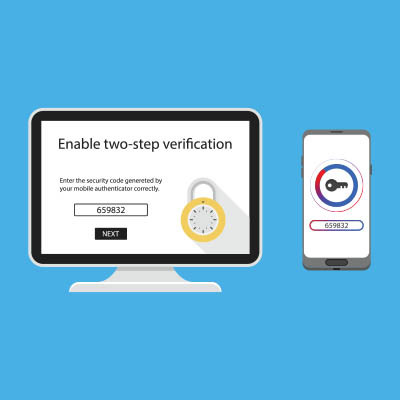
Two-factor authentication has become a must-have for any online-connected account that relies on password protection. The benefits of the technology are pretty straightforward. Instead of just filling out your password for authentication, a user needs to have another method in order to access an account. In this month’s newsletter we thought we would take a look at how to enable 2FA on your Microsoft account, which includes Microsoft 365 apps like Word, Excel, and Outlook.
A screenshot can be a remarkably handy thing to have on hand, for both your own purposes and especially for the purposes of technology support. While there are many tools out there that can help you take effective screenshots, there is a modern solution available for all users of Windows 11. Let’s look at how you can use it!
The Windows operating system has gradually improved since it was first released back in 1985, bringing us to Windows 11 and its productivity-boosting capabilities nearly four decades later. Let’s take a closer look at just a few of these features so you can make the most of your time using the OS.
Microsoft’s operating systems have been around for a long time, and since Windows 95, Microsoft has published free utilities that can help users make slight adjustments to their operating systems to suit their needs. Microsoft PowerToys are even available now, and we want to explore what they can do for your business, as well as how you can acquire them.
There is one key on the keyboard that might seem a little odd: PrtScn. It’s not immediately obvious what this key does or why you would want to use it, but we assure you that it is an extremely helpful keyboard shortcut once you understand how it works and why you might want to try it out. In reality, the PrtScn key (on some keyboards it might just be PrtSc) is important for taking screenshots on your Windows device.
With Microsoft announcing that the Windows 11 release is right around the corner, most users will be looking to upgrade to hardware that supports it. This is a topic for another day. As we approach the Windows 11 launch, Microsoft is gearing up to retire one of its most controversial (and ultimately innovative) operating systems to date, Windows 8.1. Today, we thought we’d talk a little bit about the mixed bag Windows 8.1 is and how it will be important to move off of the software by January 2023.
Back in 2015, Microsoft confirmed that Windows 10 would be the last version of Windows, meaning that we should not expect Windows 11 anytime soon. Still, a major update to the Windows 10 operating system has been confirmed to be on its way. What’s coming with this next update to Windows 10, and what does it mean for your business?
Windows has no shortage of capabilities to offer its users, with many of these tools coming with an associated Windows shortcut. Since keeping track of all of them can be a challenge, we wanted to assemble a list of most of them for you. This blog will serve as that list, so make sure you add it to your browser’s favorites for quick reference!
Okay, so first off: when it comes to taking a screenshot, today’s user has a lot of options baked into Windows. Of course, there’s the Print Screen key on most keyboards—but that only allows the user to literally take a screenshot of their entire display and edit it down in some other program.
PDFs have been around for a while and they have become an extremely useful file format for business. One of the best features of the PDF is that it is useful for securing signatures so that contracts can be handled over the Internet. Today, we’ll go over how you go about signing a PDF in Windows.
Ever since Windows 10 debuted in July of 2015, it has slowly risen in its market share. This has continued throughout the tumultuous times that 2020 has provided, as the OS has now reached a market share of 72.2 percent as of October. Let’s go over why this matters, and why—if you haven’t done so yet—you need to add your organization’s PCs to that number.